
Independent, unofficial resource
Higgsfield MCP AI
Unofficial, hands-on guides to Higgsfield MCP — how to connect it to Claude, Cursor and other agents, what it costs, how it compares to alternatives, and real-world tips for generating images and video from your chat.
What is Higgsfield MCP?
Higgsfield MCP is Higgsfield AI's hosted connector built on the Model Context Protocol (MCP) — an open standard that lets AI agents securely use external tools. Once connected to Claude, Cursor, OpenClaw, Hermes, or any MCP-compatible client, your agent can generate images and video, train characters, and manage assets without leaving the chat. It uses a Higgsfield account and credits, with no API key required for the connector.
- ✓No API key required — sign in with your Higgsfield account
- ✓30+ image & video models behind one connection
- ✓Credit-based pricing (free credits to start)
- ✓Works with Claude, Cursor, OpenClaw, Hermes & any MCP client
How to connect Higgsfield MCP
You can be generating from your agent in a few minutes. The connector is account-based, so there is no API key to copy — just sign in.
- 1
Create a free Higgsfield account
New accounts include free credits, so you can try generation without paying.
- 2
Add the MCP server to your agent
In your client's connector settings (Claude, Cursor, etc.), add the hosted URL, then sign in with Higgsfield:
https://mcp.higgsfield.ai/mcp - 3
Start generating in chat
Ask your agent for an image or video and it calls Higgsfield's models and returns the result in the conversation.
Use Higgsfield MCP AI with your favorite agent
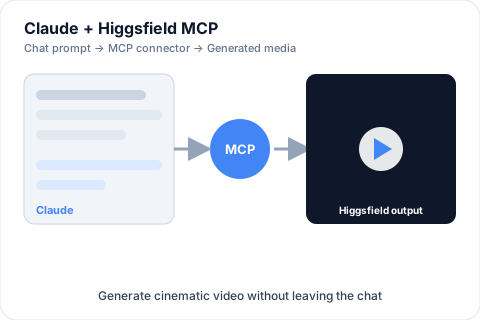
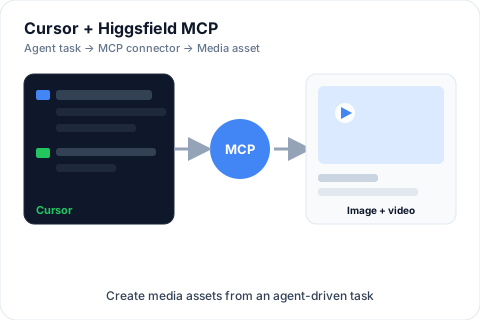
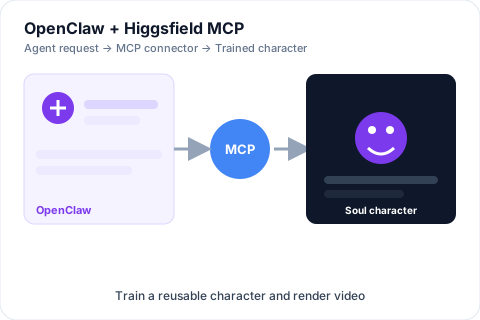
The connector plugs into any MCP-compatible client. These are three of the most common setups readers use to generate images and video straight from a conversation — no API key required.
What you can do with it
Video Analyzer
Turn any video into a prompt — decode the hooks, shots, and pacing of clips you want to replicate.
Marketing Video Generator
Paste a product URL and get a publish-ready video, no editor required.
Soul Character Training
Train a reusable character once and keep identity consistent across every scene.
Cinematic Image to Video
Animate a still product shot with cinematic camera moves and presets.
Viral Clip Generator
Cut long videos into vertical social clips with subtitles, ready for TikTok or Reels.
Virality Prediction
Score hook strength and retention risk before you publish, not after.
Popular guides
View allFeatures
Higgsfield MCP Character Training (Soul) Explained
How Soul character training works through Higgsfield MCP, and why it matters for consistent video campaigns.
Pricing
Is Higgsfield MCP Free? Pricing Explained
How Higgsfield MCP is priced, what free credits cover, and when you need a paid plan.
Comparison
Higgsfield MCP Alternatives (and How They Compare)
Other ways to generate images and video from an AI agent, and how they stack up against Higgsfield MCP.
Review
Higgsfield MCP Review: Hands-On Verdict
Our practical take on Higgsfield MCP — what it's good at, where it falls short, and who should use it.
Setup
Higgsfield MCP with Cursor: Setup Guide
Connect Higgsfield MCP to Cursor using the official Skills repository so your coding agent can generate images and video.
Setup
How to Connect Higgsfield MCP to Claude
Step-by-step: add the Higgsfield MCP connector to Claude (web, desktop, and Claude Code) and generate images and video from your chat.
Higgsfield MCP: frequently asked questions
What is Higgsfield MCP?
Higgsfield MCP is Higgsfield AI's hosted connector built on the Model Context Protocol (MCP), an open standard that lets AI agents use external tools securely. After you connect it to an agent like Claude or Cursor, the agent can generate images and video, train characters, and manage assets without leaving the chat.
What is MCP (Model Context Protocol)?
MCP is an open standard that lets an AI agent plug into external tools and data sources through a single, consistent interface. Higgsfield's MCP server exposes its image and video generation, character training, and asset management as tools the agent can call from a conversation.
How do I connect Higgsfield MCP to Claude or Cursor?
Create a free Higgsfield account, then open your agent's connector settings and add the hosted MCP URL https://mcp.higgsfield.ai/mcp, and sign in with your Higgsfield account. For Claude Code and Cursor, Higgsfield also offers an official CLI and Skills installer. See our step-by-step setup guides for exact steps.
Is Higgsfield MCP free?
Yes to start. New Higgsfield accounts include free credits, and adding the MCP connector has no separate fee and no API key. You only pay for generations, which are billed against your Higgsfield credit balance.
This is an independent resource and is not affiliated with higgsfield.ai. Always confirm setup steps against the official Higgsfield MCP documentation.